Uncategorized - Prezlab

The psychology behind your presentation color palette

Key Ideas:

  • Colors shape emotions, behaviors, and decision-making, not just aesthetics.
  • When creating a color palette, it’s important to consider the cultural context and brand alignment.
  • Balanced combinations and strategic use of primary, secondary, and accent colors keep presentations clear and persuasive.
  • Thoughtful color choices turn slides into stories that resonate and influence.

A presentation color palette serves a function much more important than aesthetics. Whether you’re aware of it or not, colors have a profound psychological impact on your audience. Colors can stir emotions, create a sense of urgency, or even calm nerves. Think about it: Have you ever noticed how you feel differently when looking at a bright red logo compared to a navy blue one? That’s color psychology at work.

If you’re designing presentations to influence decision-making or evoke specific responses, you need to think about your color palette strategically. Choosing the right colors can influence whether it falls flat or captivates, shaping how a presentation is received by stakeholders. 

The foundation for a presentation color palette 

You’ve probably heard that “color sets the tone,” and they’re right. But what does that actually mean for you as a designer? Well, since color can trigger certain emotional responses, it can affect how your audience processes the information you present.

Here’s an example. 

You’re preparing a presentation for a healthcare client. If you choose a bold, aggressive red as your primary color, the message could come across as alarming or confrontational. Green, however, is known for its association with health, tranquility, and renewal. So using soft, calming green instead, it’s far more aligned with the message you’re trying to convey. 

In short, color helps frame the way your content is received. So, before you dive into your color scheme for a presentation, think about the emotional response you want to evoke.

How colors impact behavior

You know how certain colors just “feel” different? That’s related to the neuroscience of color response. Different hues can trigger distinct physiological reactions. For example, red is often associated with urgency and can increase heart rate, which is suitable for calls to action or when you want your audience to feel energized or motivated. On the other hand, blue tends to have a calming effect and promotes trust, which is why it’s so commonly used in corporate presentations or tech-related industries.

Here’s a quick rundown of what colors often represent:

  • Red: Urgency, excitement, action, passion
  • Blue: Trust, professionalism, calmness, security
  • Yellow: Optimism, attention-grabbing, creativity
  • Green: Health, growth, balance, harmony
  • Purple: Creativity, luxury, sophistication
  • Orange: Energy, enthusiasm, friendliness

These are generalizations, of course, and the context always matters. But having a basic understanding helps you select a color palette for a presentation that aligns with your messaging and creates the right atmosphere.

Color psychology

Cultural color considerations 

When you’re working with global or multicultural audiences, don’t forget that colors can mean different things and are perceived differently across cultures. For instance, in Western cultures, white is often associated with purity and peace, while in some Asian cultures, it symbolizes mourning and death. Meanwhile, red can signify good fortune and celebration in China, but in other cultures, it may carry connotations of danger or anger.

So, when you’re developing your presentation color scheme, always keep in mind the cultural context of your audience. It isn’t about what looks good on screen; it’s about making sure the colors align with the cultural expectations and sensitivities of your viewers.

Keep it consistent with brand color integration

One thing that is commonly overlooked is brand consistency. Your color palette should never clash with your existing brand colors. After all, presentation design is a reflection of your brand identity. If the colors you use deviate too far from your core branding palette, you risk confusing your audience and undermining your professionalism.

Think about major companies: Coca-Cola’s red, Facebook’s blue, and McDonald’s yellow—these are essential elements of the brand identity. Similarly, when you’re designing for a client, integrating their brand colors into the color palette helps reinforce their brand and keeps everything aligned.

For example, if you’re designing a consulting pitch for a client whose brand colors are dark blue and gray, you could incorporate lighter shades of these colors for background elements and accents. This subtle approach maintains brand recognition without making a massive change to the brand’s identity.

The effect of color combinations 

Balance is key. You can’t just throw every color you like into your palette and hope it works out. The combination of colors should feel harmonious, not chaotic.

For example, if you’re using yellow, pair it with gray or blue to tone it down. Too much of one color can overwhelm your audience, but the balanced combination will keep them engaged and focused on your content.

Using a color strategy for decision-influencing palettes

To use color more purposefully, crafting a strategic color palette for your presentation can help guide your audience’s decision-making process.

Here’s a simple framework to keep in mind:

  • Primary Color: Pick one color that embodies your core message (e.g., red for urgency or blue for trust).
  • Secondary Colors: Use these to complement and support your primary color (e.g., yellow or gray to soften or energize the design).
  • Accent Colors: These should be used sparingly to highlight important points (e.g., green for callouts or highlights).
  • Background Color: Keep it neutral to make sure the content stands out (e.g., white or light gray).

Putting it all together

Color is one of the most powerful tools at your disposal when creating presentations. It’s powerful because it plays on psychology to influence the viewer’s emotions, behavior, and decisions—it’s not just about looking good.

Designers know that choosing the right color palette is bigger than making aesthetic choices; it involves a thoughtful process that aligns colors with your message, your audience, and your brand. Which is why it’s helpful to ask yourself about the type of emotional response you’re hoping to evoke, the decisions you want to influence, and how to reflect the story you’re trying to tell.

Pitch Like Steve Jobs: 4 Techniques to learn from

Steve Jobs knew how to persuade his audience, making every pitch and presentation seem effortless. And let’s face it, whether you’re pitching a product, presenting a new idea, or building a sales deck, you’re also in the business of persuasion. But becoming a persuasive speaker isn’t just for natural-born salespeople or charismatic leaders. Thanks to behavioral science, there are simple, proven methods that anyone can use to make their message more compelling. Today, we’re breaking down four of the most powerful persuasion techniques backed by science and famously used by Steve Jobs to transform your next pitch.

Labor Illusion: Show your work, boost your value

Ever notice how you appreciate a meal more when you see the chef preparing it? That’s the labor illusion in action. People value a product or idea more when they’re aware of the effort behind it. Jobs mastered this during his 1998 Apple keynote. At a time when Apple was struggling, Jobs rebuilt confidence by highlighting the long hours and dedication of his team: “You can see a lot of cars in the parking lots on nights and the weekends.” By pulling back the curtain on the hard work, he made Apple’s products feel more valuable and trustworthy.

How to use it:

In your next presentation, share the behind-the-scenes effort—the research, development, or iterations that went into your solution. This transparency increases trust and heightens the perceived value of your work.

Halo Effect: Brilliance by association

The halo effect is a cognitive shortcut: if we admire one thing, we’re more likely to view related things positively. Steve Jobs applied this technique in Apple’s iconic “Think Different” campaign, associating Apple with visionaries like Einstein and Gandhi. The positive glow from these figures rubbed off on the brand, making Apple seem more innovative and inspiring.

How to use it:

Associate your idea or product with respected brands, influencers, or even customer testimonials. For example, show logos of big clients or mention endorsements from well-known figures. This simple association can dramatically boost your brand’s credibility and appeal.

Anchoring: Frame first, then shape what follows 

Anchoring is the psychological principle rooted in how the first piece of information we see sets the reference point for everything that follows. Steve Jobs used this when launching the iPod, which was twice as expensive as competitors. Instead of focusing on the high price, he reframed the conversation around “price per song,” making the iPod seem like a better deal.

How to use it:

When presenting your offer, introduce a higher-priced option first or compare your solution to a more expensive alternative. This makes your actual offer seem more reasonable and attractive by comparison.

Recency Bias: Save the best for last

The last thing people hear is often the statement that sticks. Jobs famously ended his keynotes with “one more thing” before revealing a final, exciting feature. This wasn’t just showmanship—it’s recency bias at work. The last message lingers longest in your audience’s mind.

How to use it:

End your pitch or presentation with your strongest argument, insight, or call to action. Recap the key points and save your most impactful message for the closing. This ensures your audience walks away remembering what matters most.

Bringing It All Together: Crafting a pitch like Steve Jobs

These four techniques—the labor illusion, halo effect, anchoring, and recency bias—aren’t about steering the audience in a certain direction. They’re about understanding fundamental aspects of human psychology and making communication much more effective within that framework. By showing your effort, using positive associations, and strategically framing information, you can make your message resonate more deeply.

Example of a pitch in action:

“After months of research and countless prototypes (labor illusion), we partnered with industry leaders and drew inspiration from Apple’s design philosophy (halo effect). While similar solutions cost over $10,000 (anchoring), our product is available for just $2,499. And here’s what matters most: with our tool, you’ll save time, reduce stress, and unlock new growth—starting today (recency bias).”

Each of these methods taps into deep-seated psychological biases. They don’t require manipulation or trickery, just a simple understanding of how people make decisions. Steve Jobs didn’t rely on luck or charisma alone; he systematically applied these principles to captivate audiences and drive action.

The best part? You don’t need to be a tech visionary to use them. With a little planning and practice, anyone can make their pitch more persuasive, memorable, and successful.

Which presentation software is best for you?

With so many presentation programs out there, how do you know which one to use? While PowerPoint might be the standard, other programs have interesting features and perks that make them hard to miss. Depending on your goals, each option can have features that can impact how you want to present your message.

Today, the most popular presentation softwares are PowerPoint, Apple Keynote, Google Slides, and Prezi. In this guide, we’ll be breaking down the pros and cons of each program to help you determine which one works best for your needs.

Microsoft PowerPoint

Microsoft PowerPoint

PowerPoint is most people’s staple for creating presentations, and for good reason. It’s the oldest software on this list, which also means that Microsoft has had a lot of time to improve and update it. Plus, its software integrates well with the other Microsoft Office Suite products. 

Pros

It’s user-friendly

The software is easy to use for both professional designers and beginners; even those with little background can quickly learn and create a good-looking slide deck. 

Variety of templates

PowerPoint has a wide range of ready-to-use themes and templates, which makes it easy for those without design experience to put together an aesthetically pleasing slide deck.

Easy to edit

Making quick changes and alterations on PowerPoint is straightforward and uncomplicated, saving users time.

It’s helpful for presenters

PowerPoint is designed to work with the presenter as they speak; features like Speaker Coach help presenters prepare by helping them rehearse and providing feedback.

Cons

Too many features

Though there are many features and extra extensions in PowerPoint that are helpful, they can easily become overwhelming and distracting, especially for beginners. 

Advanced features need a subscription

Another disadvantage of PowerPoint is the cost of the Microsoft 365 Office Suite, which can be a barrier for many. Plus, having an Office Suite subscription comes with features and storage space that aren’t available if you were to purchase the software on its own. 

Apple Keynote

Apple’s Keynote

Keynote is Apple’s presentation software, only supported by Apple products, which is why many don’t use it. However, its basic features are functional and customizable, with a useful “comments” system.

Pros

It’s easy to use

Just like any other Apple product, Keynote’s layout is straightforward and easy to navigate, making it a smooth experience for all users.

Seamless multimedia integration

Keynote is designed to naturally integrate multimedia, so elements like sounds, videos, and images are easy to add in and remain high-quality.

Animation features

The program’s animation and transition effects are captivating, adding a magical and unique element to the presentation.

Cons

Limited compatibility 

Keynote can only be used on Apple products, meaning that they aren’t compatible with Microsoft or any other software. Although Keynote slides can be exported into PowerPoint, the layout will change. 

Lack of resources and support

The community of Keynote users is small, meaning there aren’t as many resources and support available for them as there are for Microsoft.

Google Slides

Google Slides

Other than PowerPoint, Google Slides is the most popular software on this list, mostly thanks to its accessibility. It is available to anyone with a Gmail account since it is included in Google Workspace. It’s known for its real-time collaborative features that let multiple people share and edit slides at the same time, and it is also the easiest program in this list to use. 

Pros

Accessibility and collaboration

As a cloud-based tool, Google Slides can be accessed from any device with access to the Internet. Plus, it allows several users to work simultaneously, making it the ideal option for collaboration and team projects.

Integration with other tools

Google Slides integrates with the other Google Workspace applications, including Google Docs, Google Sheets, Google Drive, and more, which makes it easy to weave in content from other resources into your slides.

Cost-free and available

Google Slides is free for anyone with a Gmail account, making it a reasonable and tempting option for smaller businesses or individuals. Especially since it is accessible on multiple devices with Internet access, such as smartphones, laptops, and tablets.

Cons

Limited offline functionality

One drawback is that Google Slides has limited accessibility when not connected to the internet, which makes it an inconvenience in case of poor connection or when working in a different environment.

Fewer template options

Although Google Slides does have premade templates and themes, it has a limited variety. Tools like PowerPoint and Keynote have more layout and customization options.

Prezi

Prezi

Prezi is presentation software known for its zoom navigation and unique approach to “slide” design. The idea is that all the sections are connected, and the presenter can smoothly navigate between them. Though it sounds complex, it offers a fresh way to share ideas and stand out, especially since there are many templates that users can utilize.

Pros

Unique presenting format

Prezi’s signature zoom and overview features offer an unconventional approach to storytelling, making it a perfect choice for those looking for a fresh alternative to traditional slide decks.

Integration support

Another advantage of Prezi is the long list of apps it can be integrated into, including Slack, Zoom, and Google Meet, which make it easier to present Prezi projects. 

Cloud-based

Since it’s cloud-based, you don’t need to rely on a USB or hard drive to bring to your presentation. You only need to have Internet access and a computer you can log in to.

Cons

Tricky to work with

Whether you’re a beginner or have experience with different presentation tools, Prezi can be a tricky platform to navigate. It can take some time to figure out how to use it and make the most of its features. 

Not ideal for heavy slides

When there’s a lot of movement going on, Prezi might not be ideal for more content-heavy slides. This format makes it hard for the audience to follow along since it can feel like it lacks structure. 

So, which one should you choose?

In summary:

Choose PowerPoint if you want a versatile tool with extensive multimedia features and custom animations for large, professional decks.

Choose Keynote if you want to create clean, minimal designs that easily integrate with Apple products. 

Choose Google Slides if you want a collaborative workflow with your team, accessibility, and easy cloud-based access.

Choose Prezi if you want to shake things up with unconventional slides and add a dynamic element to your slides.

Choosing the right software will depend on our flow, needs, and goals. While PowerPoint remains the standard, Keynote is a sleek option for Apple users, Google Slides helps teams collaborate, and Prezi offers an original flow for those who want to break tradition. Each tool has its strengths and weaknesses, so it’s up to you to determine which program will enhance your message. Plus, at the end of the day, it’s less about the tool itself and more about how you use it. At Prezlab, we specialize in creating and uplifting presentations so they can bring out the best in your content. To learn more, you can reach out to our team right here!

3 Data storytelling frameworks used by creative strategists

In a presentation, the numbers and ideas aren’t enough on their own. However, giving them life with data storytelling makes all the difference. Whether you’re explaining a complex strategy, pitching to a client, or shaping a campaign, a well-done story can transform your message, making it more memorable and persuasive. 

This blog unpacks three proven storytelling frameworks often used by creative strategists and consultants to bring clarity to their ideas and purpose to their presentations. Beyond frameworks, they’re also used as thinking tools that can sharpen your narrative and help your message leave a real impact. 

The SCQA Method: Data storytelling for Consultants

SCQA stands for: Situation, Complication, Question, and Answer. It’s a go-to storytelling method for consultants at firms like McKinsey, and for good reason. It helps turn scattered thinking into a clear, logical story. The reason why it’s such a staple is simple: it mirrors the natural way our brain processes information; we first need context, then a problem, then a question, and a solution. Instead of burying the lead, SCQA forces you to structure your thinking from the start, guiding your audience toward your conclusion. 

Here’s how it works:

  • Situation – Set the stage. Where are we now?
  • Complication – Introduce the tension. What’s the challenge or shift?
  • Question – Ask the strategic question your story will answer.
  • Answer – Provide the solution. Resolve the tension.

Here’s an example of how to use the SCQA framework:

Let’s say a company’s retail division has grown 8% annually over the past five years. 

However, new competitors are now changing preferences that have slowed and stabilized this growth.

Now, how can we regain momentum in a competitive market? 

We can redefine our customer engagement strategy by prioritizing personalization in our content on our social channels. 

Why we love it:
SCQA helps simplify complex decks and clarify messaging. This framework is especially helpful in high-stakes settings like pitches, reports, strategic recommendations, or executive presentations, where clarity and logic are prioritized. 

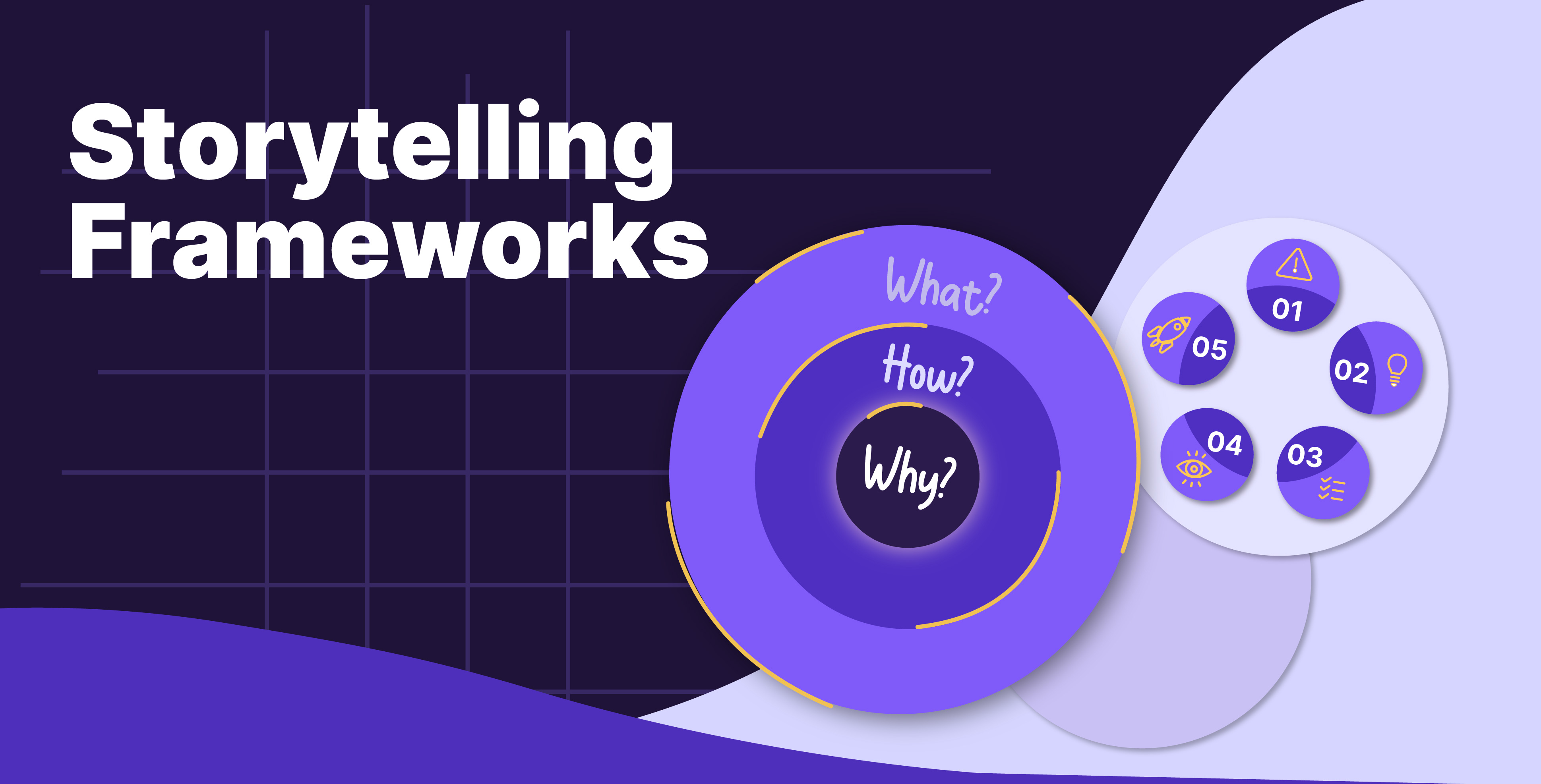
Simon Sinek’s Golden Circle: Start with Why

Popularized by Simon Sinek, the Golden Circle is about getting to the emotional core of your message and connecting with your audience before you even talk about your solution. You do that by starting not with what you do, but with why you do it. This storytelling approach taps into your message’s emotional core, creating a deeper connection with your audience. Starting with “why” shows people what drives you and why they should care. It’s an inside-out method that builds trust and inspires action. 

The structure:

  • Why – What’s your purpose or belief?
  • How – What’s your approach or differentiator?
  • What – What product or solution do you offer?

A perfect example of the Golden Circle is often used in Apple’s presentations: 

Why – We believe creativity unlocks human potential.
How – We design intuitive, user-first experiences.
What – We make smartphones, laptops, and creative tools.

Why we love it:
This framework brings depth and meaning to presentations. It can help brands define their narrative visually, and when done right, it leaves an impact on their entire presentation, from tone and layout to the structure of their pitch.

Monroe’s Motivated Sequence: From Emotion to Action

Less known but highly effective, Monroe’s Motivated Sequence is a five-step structure designed to maximize persuasion, especially when your goal is action. Unlike traditional presentation formats that focus on informing the audience, this method is rooted in the psychology of persuasion, encouraging the audience to make active decisions. It’s especially powerful to use for storytelling in campaigns and pitching where the goal is to motivate the audience.

The five phases:

  • Attention – Start with a hook: stats, stories, or visuals.
  • Need – Introduce the problem and its emotional weight.
  • Satisfaction – Offer a clear solution and how it works.
  • Visualization – Help the audience see the outcomes, good and bad.
  • Action – End with a direct ask: what should they do next?

An example of Monroe’s Motivated Sequence:

By 2050, there could be more plastic in the ocean than fish. 

11 million tons of plastic enter the oceans every year, harming wildlife and ecosystems. 

If every household began using reusables, we could dramatically reduce plastic waste. 

Imagine a clean beach where turtles nest in peace. And now imagine it littered with plastic. 

Start today with small actions: bringing a reusable bag, avoiding plastic straws, and sharing the message. 

Why we love it:
This is our go-to for emotional storytelling. It is ideal for awareness campaigns and presentations where the goal is to move people to take a certain action, not just inform them.

Final Thoughts

At the end of the day, the most powerful presentations persuade and drive action. These three storytelling frameworks help you think through your ideas and data to clarify your message, create a structure your audience can follow, and develop more intentional stories. 

Best used as pathways, you can start with one that fits your goal, experiment, and then you can make it your own. Need more help? You can reach out to Prezlab, and we can help you arrange your ideas and communicate them better for a stronger and long-lasting impact. 

Transparency by Design: Building public trust in the GCC

Across the Gulf Cooperation Council (GCC), national strategies and public expectations are landing on a common goal: transparency, accountability, and citizen engagement. While governments regularly release information on performance data, budgets, and policy updates, these materials are often too dense and technical for the average citizen. This results in a gap between information availability and genuine transparency. The solution lies in principled information design that simplifies content into clear and accessible communications that foster understanding and trust.

The link between transparency and public trust

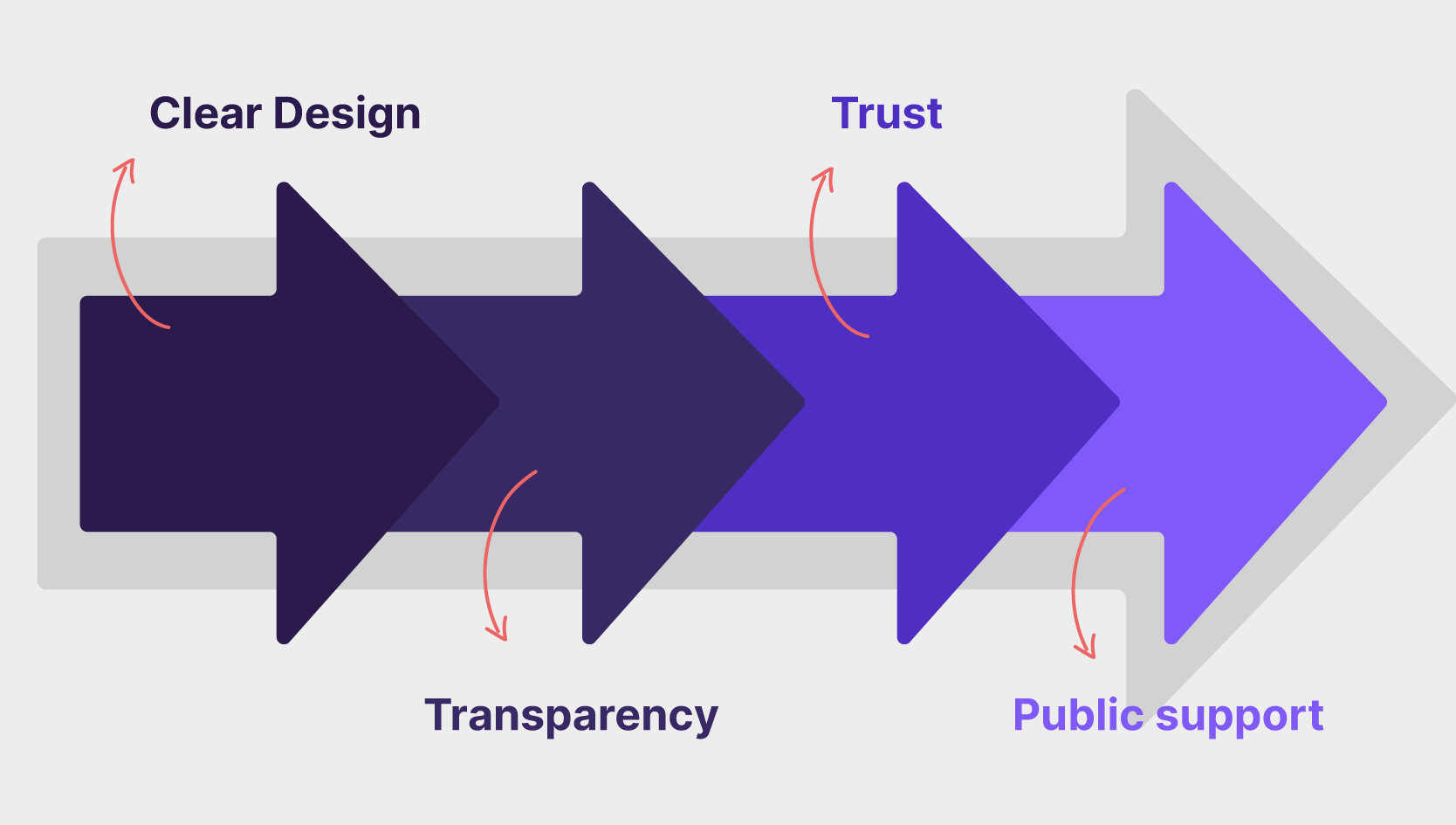
Transparent and inclusive communication is essential for building public trust, promoting accountability, and fostering a thriving society. When governments communicate clearly and openly, they reduce suspicion, demonstrate accountability, empower citizens, and invite participation. However, when the information released is not understood, it can undermine trust, as it may be perceived as muddling rather than genuine openness.

Value of design for public trust and transparency

Information design principles for building public trust

Incorporating information design principles transforms governmental communications from mere presentations into foundational practices for transparency, accountability, and responsiveness. Prioritizing how information is structured and presented empowers citizens and cultivates trust.

  • Clarity & Simplicity: Make information easy to grasp by using plain language, logical structure, and clean visual. Translating complexity shows respect, reduces suspicion, and builds foundational trust.
  • Accessibility: Ensure everyone, including those with disabilities or differing literacy/language needs, can access information through standards like WCAG and alternative formats. This commitment to inclusivity is vital for trust.
  • Data Visualization: Transform complex data (budgets, performance metrics) into understandable visuals (charts, maps). This empowers citizens to see trends and hold institutions accountable transparently.
  • Hierarchy & Navigation: Make information easy to find through clear structure, headings, and search functions. Effortless navigation signals competence and respect for the user’s time, reinforcing trust.
  • Contextualization: Provide necessary background and explanation to prevent misinterpretation of data. Answering the “so what?” demonstrates a commitment to genuine understanding, not just data dumping.
  • Consistency: Maintain a unified visual identity and voice across all communications. This displays professionalism, builds recognition, and reinforces the credibility and reliability of government information.

By embedding these principles, governments can create communications that not only inform but also actively build a stronger, more trusting relationship with the public they serve.

Where can you apply transparency design principles in government outputs?

Implementing a focused approach to government communications is proving to be effective globally. For instance, in the GCC, governments are pairing digital transformation efforts with clear information design, using tools like public dashboards to enhance transparency, improve service delivery, and bolster their international standing. Visual approaches can be found across many mediums, including: 

Annual reports/performance data

Instead of dense tables, engaging visuals transform annual reports using interactive online dashboards. These allow citizens to scan over performance data and trends. Clear narrative summaries can also highlight key achievements and challenges in plain language, making complex performance information truly accessible.

Budget summaries

Design makes complex government budgets understandable. Engaging infographics can visually break down revenue sources and spending categories using charts and icons. Simple, readable guides explain financial information in everyday terms, debunking misunderstandings about finance and allowing for informed discussion.

Policy explainers

Simple and clear visuals clarify new laws or government initiatives that might otherwise be confusing. Simple flowcharts can illustrate new processes, FAQs can directly answer common questions, and visual summaries provide quick, easy-to-grasp overviews of a policy’s key points and impacts.

Public service information

Applying design principles to public services focuses on the user experience. This means creating clear, step-by-step instructions, simplifying application forms (both digital and print), and ensuring government websites have intuitive navigation to help citizens easily find information and access essential services.

Trust in action — MOHAP’s “Back to Work” campaign

In our collaboration with the UAE Ministry of Health and Prevention (MOHAP), animation and engaging visuals were used to communicate protocol with clarity and transparency:

When COVID-19 restrictions eased and workplaces were preparing to reopen, MOHAP faced a major communication challenge:

How do you clearly explain evolving health protocols to a diverse, multilingual public quickly and effectively?

Prezlab partnered with MOHAP to bridge this gap through strategic information design. Instead of overwhelming citizens with complex policy documents, we created:

  • Visual explainer videos summarizing key safety steps
  • Simplified, step-by-step guides for employees and employers
  • Bilingual content (Arabic and English) adapted to the UAE’s audience
  • Accessible, mobile-friendly layouts for wide digital dissemination

The impact:
Clear visuals helped citizens and businesses easily understand new workplace rules, improving compliance, reducing confusion, and strengthening public trust in the government’s pandemic response.

This project is a strong reminder that transparency isn’t just about publishing information—it’s about creating it for real-world understanding and action.

👉 View the full case study.

The tangible returns of clear communication

Strategic information design delivers measurable benefits beyond building trust, impacting both government operations and citizen interaction.

When complex topics are made accessible, it boosts citizen engagement and allows them to participate in more informed ways. Clear instructions and simplified processes remove barriers and make public services easier (and more widely) used. At the same time, professional communication demonstrates credibility, showcases transparency, and builds trust with the public. When information is easy to understand, it encourages productive public discourse. Most importantly, it also eases pressure on support staff by reducing confusion. Ultimately, clarity in public communication optimizes how the government functions for a smoother, more efficient way of serving people. 

Designing for clarity is designing for trust. Principled information design is not a luxury but a strategic necessity for modern, transparent governance in the GCC. As governments strive to meet rising expectations for openness and accountability, clear communication must be at the heart of their approach.

What about you? Is your public communication building trust? Learn more about how Prezlab helps government agencies create effective presentations for public trust and get in touch. You can also explore our portfolio of projects focused on creating accessible public-sector communication.

How corporate presentations shape business decisions

Corporate presentations are strategic assets that influence decisions and drive business growth. Yet, many presentations fail to interest audiences, leading to missed opportunities. So, how can companies and businesses guarantee that their message is clear and memorable? The answer is simple: professional presentation design. Strong visual storytelling makes ideas stick, helping businesses communicate better and more persuasively. In this blog, we’ll explore the importance and impact of a well-designed corporate presentation deck.

The value of professional corporate presentation design

In corporate settings, visual communication is vital for delivering clear and memorable messages. The purpose of a presentation is to share ideas that lead to action, whether for an investor pitch or to align internal teams. Polished slides are crucial to guarantee that complicated ideas are communicated effectively. According to research, humans receive visual information far more quickly than text; therefore, effective design is crucial for reiterating important points. Investing in presentation design is a strategic advantage rather than merely an aesthetic decision because, in a more high-stakes setting, it might mean the difference between a successful buy-in and losing an opportunity.

Why corporate presentation design matters

Clear communication is everything. A presentation is a powerful tool for persuasion since the way information is shared directly impacts how it’s received. More often than not, your presentation is the first touchpoint with stakeholders. Therefore, it is true that first impressions are crucial; a well-designed, expert layout instantly establishes your reputation and shapes how others will interpret your thoughts. Clean design and unified branding demonstrate your attention to detail, which increases the audience’s likelihood of trusting your material.

The goal of presentations is to deliver information in a way that people remember. Studies show that people only recall 20% of what they read but 80% of what they see, making slideshows and visuals an effective way to increase engagement. Big, complicated ideas can be simplified through thoughtful design, which engages viewers and keeps them interested.

The features of an effective corporate presentation

An impactful corporate presentation is meant to enhance communication and engagement. So, to guarantee effectiveness, presentations should follow the following design principles to help reinforce the message and guide the audience through the information.

Simplicity and clarity: Avoid unnecessary details and clutter by concentrating on a single, important point per slide.

Visual hierarchy: Organize the components on a slide and purposefully use spacing, contrast, and font to direct the audience’s attention throughout the content.

Consistent branding: Follow the brand identity while maintaining coherence and consistency with colors, typefaces, icons, and other visual components.

Data storytelling: To make the data and numbers easier for people to understand, present them using graphs, charts, infographics, and other visual aids.

Motion and animation: By adding a captivating aspect to the slides without detracting from the material, subtle animation can increase engagement.

Business advantage of corporate presentations

Using corporate PowerPoints to maximize impact

A corporate presentation must carefully combine aesthetics and substance in order to be both visually appealing and persuasive. The objective is to direct focus, improve clarity, and convey the main idea without overpowering the audience. To guarantee that the audience fully processes the information, this calls for clear layouts, purposeful images, and concise language. You can increase the impact of your corporate presentation in the following ways:

Know your audience

A corporate presentation that leaves an impact needs you to know who you’re talking to. For example, a pitch to investors requires data-driven storytelling, while internal company updates focus on fostering engagement. Another example is that executives typically prefer summaries, whereas clients want to examine case studies that highlight value. Tailoring the design and message to specific audiences ensures it is more relevant and persuasive to those you’re addressing. By aligning with the priorities and expectations of your audience, you maximize the presentation’s impact.

Leverage professional templates

A well-designed corporate presentation is rooted in consistency, and professional templates help achieve that. Custom-designed templates from professional presentation agencies can help ensure that each slide is consistent with your brand identity and tone to reinforce your credibility. Instead of wasting hours formatting slides manually, teams can focus on refining their content and strategy while still maintaining a polished, cohesive deck. Templates help standardize the fonts, layouts, and visual elements, making it easier for employees across all departments to create on-brand slides easily.

Use engaging storytelling techniques

The most impactful presentations always follow some sort of narrative, guiding the audience through key insights and building engagement and interest. Storytelling in presentations isn’t fluff; it’s persuasively structuring the information. A strong narrative organizes the ideas so that they are presented logically instead of as confusing and disconnected data points. Weaving the facts into a story by introducing the problem, building anticipation, and leading to a resolution makes the information easier for stakeholders to act on.

Use high-quality visuals

Using high-quality visuals is vital for a professional corporate presentation. Things like pixelated images, blurry graphs, or stretched graphics can instantly harm a presenter’s credibility, making even well-researched content appear untrustworthy. For sharp, professional slides, always use images with high resolution, vector-based icons, and brand-aligned graphics. Investing in custom-designed assets or stock images can ensure that each slide is compelling and visually appealing. In the world of corporate presentations, clarity means credibility; relevant, well-chosen visuals make a huge difference in how the audience perceives your slides.

The ROI of investing in corporate presentation design

Investing in professional presentation design is about investing in impact. A well-made slide deck helps stakeholders and decision-makers absorb information better, making it much easier to close deals, secure buy-ins, and get approvals. In a sales context, compelling visuals and storytelling can increase conversion rates by making pitches more engaging and memorable. The return on investment of great presentation design is endless: more effective pitches, better engagement, and many more factors that contribute to a business’s success.

A corporate presentation is more than a set of slides; it’s often the first encounter in a professional setting. To make the message resonate with audiences, a strong presentation design is needed to ensure clarity, build trust, and achieve objectives. At Prezlab, we specialize in turning ideas into strategic business assets to get real results. If you’re interested in elevating your corporate presentation, get in touch to make your message stand out.

What AI can’t do (and why that’s a good thing)

AI is transforming workflows, making processes faster and more efficient, yet when it comes to tasks that include storytelling and decision-making, it has its clear limitations. A great design or presentation isn’t just about how well the data is organized, although that does play a role. It’s about the story it tells and how it resonates with the audience, which requires nuance, emotional intelligence, and intuition, all of which AI notably lacks. However, that’s not necessarily a bad thing. In this blog, we want to discuss its limitations and how these push us to reconcile and hone our uniquely human skills for effective and memorable presentations.

Here’s what AI cannot do… 

AI is a powerful tool, but it lacks the little nuances that make communication truly effective. Although it can understand patterns, it doesn’t understand context. The essence of great presentations, such as persuasion, adaptability, and creativity, still requires human expertise. This is why technology should be seen as a tool rather than a replacement. When combined with human insight, it enhances efficiency, but it is our strategic thinking that turns information into impact.

It can’t replace narrative intuition

Presentations are an opportunity to present a strategic narrative to persuade and drive decisions in the audience. While artificial intelligence can generate content and layouts, it doesn’t quite grasp the nuances of storytelling. It cannot see the bigger picture and determine an emotional arc that can resonate with an audience. A list of facts is not convincing, but a narrative is. A powerful presentation knows when to highlight key details and when to step back to present a compelling overarching message.

Human intuition informs how data is framed, what to emphasize, and how to create a journey that will capture attention. It takes human insight to transform data into a story, whether by creating an analogy, incorporating an anecdote, or shaping a natural flow that leads to a call to action.

It lacks emotional intelligence

Great presentations don’t just inform; they inspire and connect with audiences on an emotional level. AI, however, can’t read the room or adapt based on audience reactions. Even if it generates an excellent speech, it will still lack the tone and nuance to make a message resonate. Decisions are driven by emotion as much as logic, and emotional intelligence turns slides into persuasive moments, which is something it cannot replicate.

Aside from that, slides are a tool that supplements presenters. Presenters need to sense reactions, adjust their delivery, and build trust, especially in more high-stakes presentations, where trust and credibility are needed.

It doesn’t understand stakeholder dynamics

Every audience is different, and every stakeholder has their own unique expectations and needs. While a CEO would care about long-term results, a CFO would instead care about the financial impact. AI lacks the judgment to adapt the messaging to cater to each. A well-structured argument with carefully selected points and a nuanced approach to persuasion can be the difference between a successful and unsuccessful deal. While it can help with the execution, the ability to influence stakeholders comes with understanding people. Strategic thinking and adaptability continue to be irreplaceable features in high-stakes presentations and presenters.

It needs human oversight & judgment

Artificial intelligence can generate content, but it cannot fact-check itself. Although it pulls from vast datasets, without human oversight, there’s a risk of misinformation. A strong pitch needs accuracy and credibility, which is something only human expertise can guarantee. Aside from accuracy, AI also doesn’t have any moral reasoning, meaning that its output doesn’t consider ethical implications. Sensitive topics or industry regulations need human judgment to guarantee responsible communication. Blindly trusting AI-generated content without verification can lead to misleading data interpretations, which is why collaboration is needed for ethics and strategy.

What AI can and can't do

How is that a good thing?

Unique perspectives & creativity can’t be automated

Artificial intelligence knows how to recognize patterns and generate content based on existing data; however, it lacks originality. This is a common misconception about creativity: that it’s about assembling ideas. Rather, creativity is about challenging conventions and having an original point of view, which can only come after having experiences and developing a perspective. The best presentations or designs don’t follow templates; they weave in a fresh angle and emotional intelligence that technology simply cannot replicate.

Emotional connection drives decisions

As we mentioned earlier, decisions aren’t just about logic and data; they rely on emotions as well. Humans instinctively understand tone, humor, and nuances, which AI cannot. So whether you’re creating a pitch or engaging stakeholders, the human connection built in the process is what makes the message more memorable and impactful. It can assist, but it cannot empathize with what truly matters to an audience.

Strategic thinking goes beyond data

Although AI is super helpful at analyzing data, identifying patterns, and predicting trends, you need strategic thinking to figure out your next steps. Business decisions aren’t all about the numbers; context and persuasion are essential. Stakeholders’ priorities change, the market evolves, and impactful messaging depends on who the audience is. It can generate insights, but humans alone can interpret them and determine their impact over time, refine content to adapt, and align the strategy with business goals.

Context matters more than automation

When it comes to communication, context matters much more than automation. AI-generated slides and visuals might look polished, but without human intervention and judgment, there’s a risk that they’ll miss the mark. Each audience will respond differently; investors might not have the same focus as internal teams, for example. Adjusting the tone, structure, and emphasis depending on the audience is what makes it effective. This is why great presentations are crafted with strategic thinking and insight, not just assembled.

Yes, AI is an incredible tool. But when it comes to things like building an emotional connection or creative strategy, it falls short. A great design or presentation isn’t just about pretty aesthetics or arranging information; it’s about framing a story, understanding the intended audience, and crafting a message that resonates—all of which are still uniquely human skills. So while technology can assist in execution, it’s human intuition that makes it effective. At Prezlab, we are now introducing AI services that improve our workflow to bring our clients cleaner results in less time. You can reach out to our team to learn more about how these services can help your workflow!

Why every complex project needs a Gantt chart

Managing a large, complicated project requires clear organization, structured timelines, and effective team collaboration, or, in other words, a Gantt chart. An essential tool for any project manager, it provides a visual roadmap for breaking down big projects into clear tasks and timelines. This article will explore what a Gantt chart is and how it works so teams can communicate project timelines in an easy, effective way that helps all contributors understand what needs to happen, when it needs to happen, and how their work connects to the bigger picture. 

In practice, one of the biggest problems in project management is not always the work itself. It is often the lack of clarity around sequencing, ownership, dependencies, and timing. Teams may know the end goal, but they do not always see how the moving parts connect. That is where a Gantt chart becomes especially useful. Instead of relying on static to-do lists or scattered updates, teams can use a visual schedule to map phases, track critical milestones, and keep momentum visible. For large initiatives, this kind of visibility can be the difference between a smooth rollout and a project that constantly feels one step behind. 

Why Gantt charts are essential for modern projects

Gantt charts are valuable because they combine structure and context in one view. Project lists can tell you what has to be done, but they rarely show how tasks relate to one another over time. With a Gantt chart, teams can understand duration, sequencing, milestones, and overlap without needing to interpret multiple spreadsheets or status updates. That makes it particularly useful for projects with many contributors, interdependent deliverables, and tight timelines. Instead of reacting to delays after they happen, teams can identify bottlenecks earlier and manage risk more proactively. 

It also supports accountability. When tasks, deadlines, and owners are visible in one shared view, it becomes easier for team members to understand how their role affects the schedule as a whole. This enhanced visibility offers better control over task sequencing, which is especially useful in cross-functional projects where design, development, operations, content, procurement, or leadership teams may all be working toward one deadline. A Gantt chart gives project leadership a far better tool for communication and coordination than a disconnected set of updates ever could. 

What is a Gantt chart?

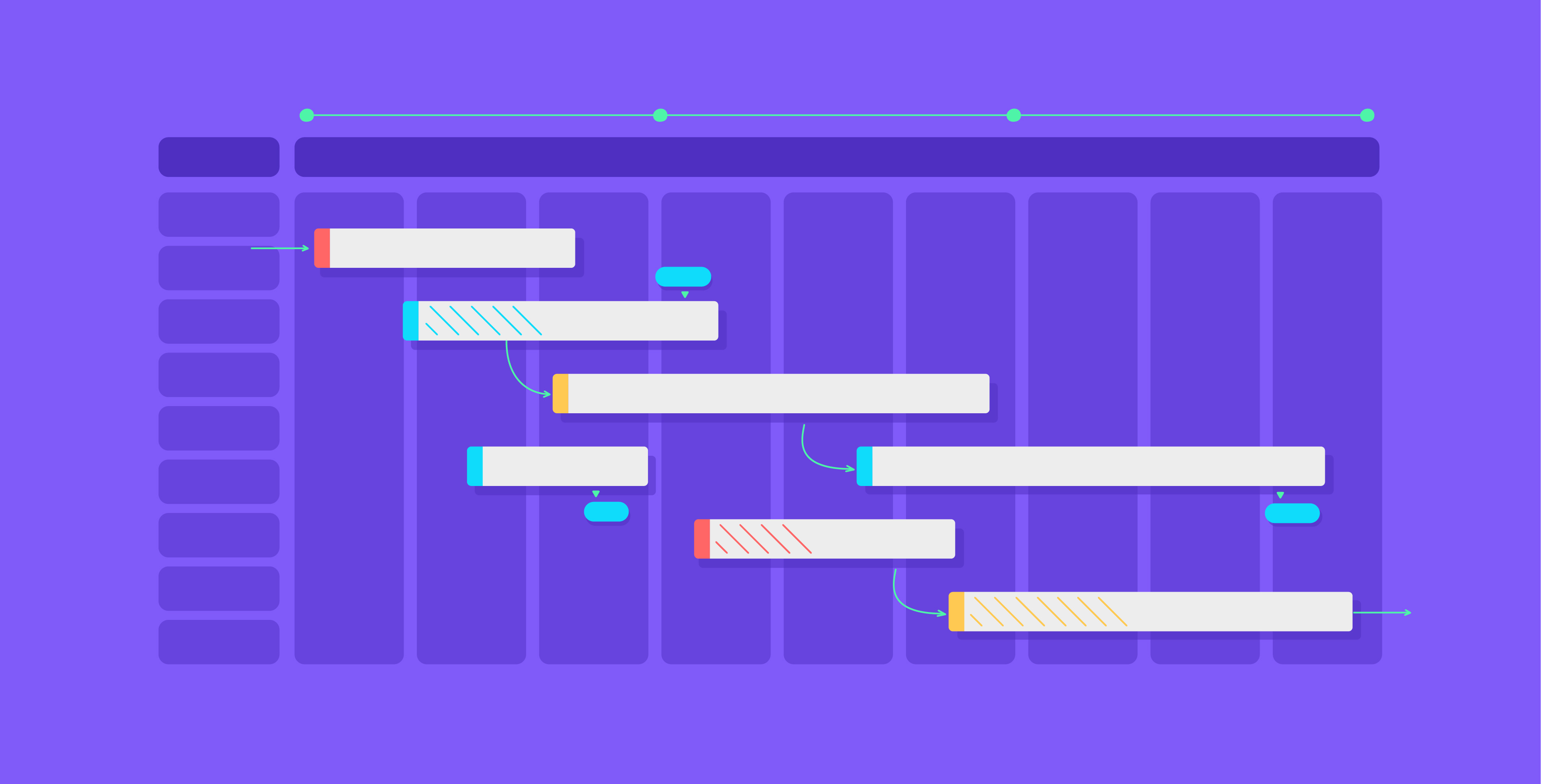
A Gantt chart is a horizontal bar chart used to represent a project’s timeline and tasks over time. The purpose is to give a visual overview of the project and provide clarity regarding deliverables, deadlines, and who is responsible for what. Usually, Gantt charts are used in project management, especially in complex projects where a simple to-do list is not enough. Each horizontal bar usually signifies a task, while its length reflects the amount of time that task is expected to take. When viewed as a whole, the chart gives teams a comprehensive view of what needs to happen and when. 

Furthermore, Gantt charts help give context to how tasks in a project are connected, offering those involved insight into how their roles impact the project as a whole. This matters because projects are rarely a collection of isolated tasks. More often, they involve dependencies, overlapping workstreams, approvals, revisions, and phases that build on one another. A Gantt chart helps reveal that structure clearly as a planning and communication framework that helps teams stay aligned from kickoff through delivery. 

What are Gantt charts really used for

Gantt charts are usually used by project managers for several practical reasons. First, they help with building and managing large projects. Large projects consist of many moving parts, and Gantt charts help visualize those building blocks by organizing them into smaller, manageable tasks. Those tasks can then be scheduled, aligned with assignees, and placed against milestones on a timeline to make progress easier to track. This is especially useful when projects move through multiple phases and teams need clarity on what should happen first and what can happen in parallel. 

Second, Gantt charts are useful for monitoring task dependencies. Delays happen, but visualizing work in a timeline helps project managers identify where one delayed task could affect the next one. This is particularly useful in large teams where tasks cannot always begin until earlier steps are completed. Third, Gantt charts support project progress monitoring. Since teams can insert updates into the chart, they can track milestones, deadlines, and phase completion more effectively. In short, a Gantt chart is helpful because it combines planning, visibility, and coordination in one place. 

Common ways teams use Gantt charts: 

  • Planning multi-phase projects with clear start and end dates 
  • Visualizing dependencies between teams or workstreams 
  • Tracking progress against milestones and deadlines 
  • Clarifying ownership and workload distribution 
  • Communicating status to stakeholders in a simple visual format 

Breaking down the key components

Parts of a gantt chart

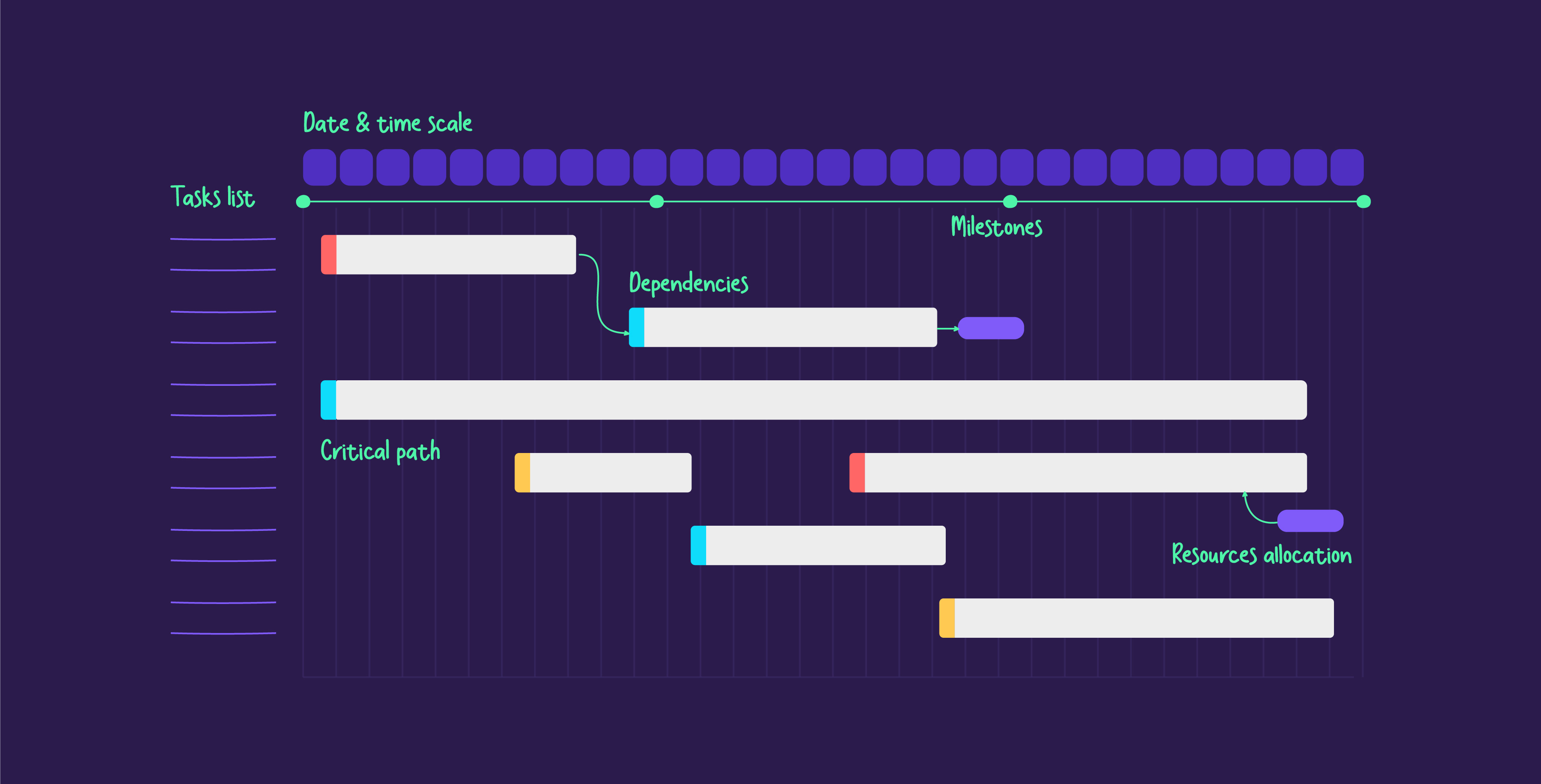
To leverage the full potential of a Gantt chart in organizing a project, it is vital to understand its anatomy. Here is a breakdown of a Gantt chart’s basic components:

Task list: A vertical list of all the project tasks placed on the left and serving as the project’s baseline. For example, a project to develop a new webpage would have tasks such as “write webpage copy,” “draft webpage outline,” or “sketch hero image options.”

Taskbars: These are horizontal bars that show the proposed duration of a task with the start and end dates. A taskbar can stretch over days or weeks to indicate its planned duration.

Milestones: These are markers that indicate key dates or achievements within the project, such as completing a draft or prototype that would show significant progress.

Dependencies: They are the lines or arrows that connect tasks, revealing the sequence in which the tasks must occur. If one task cannot begin without the completion of another, a dependency arrow indicates that.

Critical path: The critical path is the longest sequence of tasks that determines how long a project will take. For example, “coding the website” would be the critical path in a website development project that influences a project’s timeline.

Resource allocation: This component clarifies which resources (or individuals) are assigned to which task, and it is usually included alongside the taskbar. For instance, a designer would be assigned to a “sketch logos” task.

Date and time scale: At the top of the chart, there would usually be a calendar or time scale with the milestones highlighted to provide context. This is to help the team and stakeholders picture the project’s timeline at a glance.

All of these components serve an important function in giving a detailed overview of the scope, duration, and dependencies of a project.

How to create a Gantt chart, step by step

When planning a project, a Gantt chart can become your best friend because it helps organize your ideas, tasks, and team into one visual system. To create a Gantt chart that actually serves the project rather than just documenting it, there are a few steps that matter. A Gantt chart should be updated as the plan evolves. If it stays static while the project changes, it stops being useful. The most effective charts are the ones teams actively maintain. 

5 practical steps to building a Gantt chart

List tasks. The first step in creating a Gantt chart is listing all the tasks and subtasks that need to be tackled to complete a project. Breaking down all tasks from broad phases into specific tasks helps make scheduling and assigning them much more manageable and ensures that nothing is overlooked or forgotten.

Decide on the timeline and add tasks. A Gantt chart should represent your project over a timeline, so set the duration of the project, including a start date and an end date. Make sure that each task has a clear deadline that can be visualized on the chart. Although a project should have a clear completion date, it is also smart to factor in approvals, review rounds, and follow-up tasks that may extend past the main delivery.

Allocate resources and clarify dependencies. Assign team members to the tasks they will be handling, making note of any other resources they may need. In large projects, there will be tasks that cannot begin until certain tasks are done. To maintain smooth progress and keep the team aligned, it is helpful to visualize dependencies between tasks in the Gantt chart and let each team know what they can work on during each phase. 

Determining milestones. Milestones are fixed checkpoints that indicate that chunks of the work are done. They help teams know what they should prioritize and are typically placed at the end of phases. There is no one way to define milestones because every project is different, but common milestones include approvals, phase completion points, prototypes, launches, or major sign-offs. 

Modify as the plan proceeds. Plans will inevitably be disrupted or altered, so a Gantt chart should be able to adapt to these changes. You should monitor progress and regularly update the chart so it accurately reflects the project’s current status. This also helps you address potential delays or bottlenecks early rather than discovering them once they have already affected the schedule. 

Gantt charts are more than planning tools 

Although Gantt charts are often described as planning tools, they are equally valuable as communication tools. A strong chart makes the project easier to explain to both internal teams and external stakeholders. It can support kickoff meetings, weekly reviews, status reports, and leadership updates because it answers the core questions people usually ask: What are we doing now? What is coming next? Where are the dependencies? And are we still on track? 

When information is easier to understand, teams move faster, and decisions become more confident. A Gantt chart does exactly that for projects. It translates moving parts into an understandable system, which is why it remains so effective across industries and team structures. 

Wrapping up

A well-organized Gantt chart is a visual roadmap that keeps a team in check, tasks in progress, and deadlines clear and straightforward. In addition to being a planning tool, it also helps teams facilitate quicker decision-making and streamline communication. A dynamic, effective timeline supports clarity and accountability because it makes the structure of the project visible. That visibility becomes especially valuable in large initiatives where timing, sequencing, and ownership need to be continuously understood by multiple people at once. 

More broadly, Gantt charts reflect an important communication principle: people work better when they can see the big picture clearly. That is why structured planning tools are so effective. They reduce ambiguity, highlight priorities, and make progress easier to discuss. Whether you are managing a website launch, internal transformation, marketing campaign, construction timeline, or cross-functional business project, a strong Gantt chart helps you replace guesswork with clarity. 

At Prezlab, we help teams communicate complexity more clearly through PowerPoint designpresentation storytellinginfographics design, and video production. If your team needs help turning project plans, timelines, or complex processes into clear visual communication, you can get in touch with our team to discuss how we can support your next project. 

How to build a McKinsey-style consulting deck from scratch

Key Ideas:

  • McKinsey-style decks focus on presenting the main message upfront, followed by logically organized supporting information, making ideas easier to absorb and act on.
  • Data is woven into a narrative, enhancing its persuasiveness and emotional appeal. The use of data builds credibility while keeping the audience engaged.
  • Using the Pyramid Principle, presentations should start with the conclusion, followed by supporting arguments and data, helping the audience focus on the insights.
  • Key slides should include a concise front page, an executive summary, clear body slides with actionable titles, and structured recommendations.
  • Dedicate a section to actionable recommendations & key takeaways that are specific and categorized, and highlight the “so what?”

In consulting, how you present your insights is just as important as what you’re presenting. McKinsey-style decks offer a structured approach that can reach audiences and persuade them, as they are known for clarity, logic, and data-driven storytelling. This helps consultants share complex ideas in a more approachable and actionable way. Here, we’ll be breaking down the key elements of a McKinsey-style presentation, from the essential slides to include and the best ways to organize the information.

Benefits of McKinsey presentation slides

Using a McKinsey approach to consulting presentations allows presenters to structure their content in a way that boosts its clarity. The structure is used to present the main conclusion or takeaway upfront and then share the supporting information in a clear flow. This way, the audience can remain attentive and absorb the ideas more easily, reducing the cognitive load.

Another thing about McKinsey presentations is that they are rooted in logic, which makes them instantly more persuasive. Backing up any statement with cold, hard data helps eliminate any doubts, and then a narrative element can be woven into it to create an emotional connection. Thus, presenters can give a compelling case for their data.

Lastly, the simple and clean formatting that most McKinsey slides rely on reflects the speaker’s professionalism. A polished slide deck enhances a company’s reputation and makes listeners more receptive to what they have to say.

In the end, the main perks of a McKinsey-style slide deck are its efficiency, the way it simplifies complex information, and its evidence-based approach.

Understanding the McKinsey slide structure

When preparing to create slides in the McKinsey style, it’s best to understand the components and structure first. Common structures include:

The Pyramid Principle

The pyramid principle, developed by former McKinsey consultant Barbara Minto, is a way of structuring communication. The premise is to start with the main message or takeaway to leave the audience and then follow it with the supporting arguments, which are grouped logically. Any point you share must be backed with data and examples that justify each argument.

For example, a company needs to invest in its marketing efforts; that would be the main conclusion. The supporting arguments would be that the customer expectations have changed and the marketing expectations have changed, mentioning the competitive advantages and ROI potential. Then, they would provide the numbers that back up the arguments.

The MECE Framework

The MECE framework is a framework that organizes the supporting arguments to effectively boost the main argument. It is organized into these two sections:

Mutually exclusive: Every point should be unique and not overlap with the content.

Collectively exhaustive: All points combined should cover the entire range of the argument.

We discuss the MECE framework in more detail in our blog right here. To optimize this approach, you can avoid duplicating points by categorizing and sorting similar ideas with their supporting data. Also, apply principles of hierarchy to arrange the points based on their impact.

Emphasis on data-driven insights

Data plays an important role in reinforcing key messages and establishing the presenter’s credibility. Therefore, a McKinsey deck requires both quantitative and qualitative data to bolster their ideas. Quantitative data is usually numbers, statistics, charts, etc., whereas qualitative data is typically insights from experts, case studies, or testimonials.

The best practice, in this case, is to be selective with your data and only incorporate data that directly supports your point rather than overstuffing slides with unhelpful information. Data should be presented clearly in a format that helps make it digestible for the audience. If the material includes a lot of data, you can then work with a dashboard layout that simplifies large datasets.

Planning your consulting deck

To create an effective consulting deck using a McKinsey approach, you should begin by determining the purpose of your presentation. Here are simple steps to begin structuring your content:

  • Define the core message: Start with the conclusion. What is the decision you want your audience to make? Share the main takeaway before going into the “why.”
  • Identify supporting data: Gather the research, case studies, statistics, and financial background to reinforce the main ideas.
  • Determine the story’s key points: Based on the message and data, write the key points of the presentation’s story to begin sequencing it.
  • Map out the narrative: Arrange the data and slides to follow a clear, logical progression that makes sense to the audience.

Once you finalize the storyboard, you can now move on to creating the actual presentation and presentation slides.

McKinsey consulting deck

Essential slides in a McKinsey-style deck

When creating a McKinsey-style slide deck, there are basic sections and slides that must be featured in each presentation. These include:

The front page: 

The purpose of the front page is to create a strong first impression through a strong, concise title, a subtitle that provides more context, the company name, and the date. This gives a professional introduction to the presentation.

The executive summary: 

The executive summary is a vital component of a consulting presentation, as it serves as a comprehensive overview of the entire presentation’s main argument and supporting evidence.

Although creating this slide might take some effort, it’s important to enable busy executives to grasp key insights and recommendations at a glance. Typically, an executive summary consists of four main components: a clear problem statement, an overview of the possible solutions, actionable recommendations, and the impact.

We talked more about how to create an executive summary in our blog right here.

Body of slides: 

The presentation’s body is the central section that examines the quantitative and qualitative content. To avoid overwhelming your audience, you can structure each slide to be clear and engaging by focusing on three main elements: the action title, the subheadings, and the slide body.

The action title should communicate the main takeaway; a strong action title acts more like a news headline and captures the reader’s attention and summarizes the slide’s content. The subheading gives a brief summary of the evidence to support the action title’s insight or provide additional context. As for the slide body, it should be dedicated to the content and data that support the action title. The idea is to share value-driven insights, which can look like text, graphs, tables, or any other format of data visualization.

Ideally, the body slides would follow a vertical and horizontal structure to create an effective narrative flow. You can read more about that here.

Recommendation: 

This section is to outline the action points needed to effectively tackle the challenge being addressed. For impactful recommendations, it helps to organize them into categories based on the group or individual to make them more actionable. The recommendations should be specific; if they’re too vague, it becomes challenging to implement them well.

Key takeaways: 

To make it easier for the audience to grasp the main message, highlight the key takeaways or the “so what?” of the presentation. These takeaways share why the data matters; they clarify the purpose behind the presentation even when the audience doesn’t have enough time to absorb all the details. The “so what?” provides context for the data and highlights the positive impact.

Appendix: 

The appendix is a space where you can include any additional information that doesn’t directly serve the presentation’s main narrative yet is still relevant and helpful for the audience to know. This helps keep the main story focused without compromising or letting go of data and information that can strengthen your argument.

A McKinsey slide deck uses structured storytelling, data-driven insights, and clear visual arrangement to communicate complicated ideas to drive action. By utilizing the above strategies, you can turn presentations into influence assets that help drive outcomes. A strategic recommendation shared through McKinsey’s approach guarantees that your message is memorable. At Prezlab, we offer presentation consulting services to ensure that your slides are effective and impactful. To learn more, you can reach out to our team and get started!

How presentation design drives real business ROI

An idea is only as strong as its presentation. Regardless of how innovative your strategy or how groundbreaking your data is, a badly designed presentation can dilute your message and cost you opportunities. Presentations often serve as a reflection of your business, and things like cluttered layouts and dense texts don’t just make them unappealing; they make them ineffective. In contrast, a powerful presentation clarifies your ideas and strengthens your credibility. In this blog, we’ll look at the impact of professional presentation design and how investing in it can drive business success. 

The cost of poor presentation design

A weak presentation doesn’t just look bad; it can cost businesses valuable opportunities. With cluttered slides, inconsistent visuals, and heavy text, a presentation can confuse audiences and disrupt their engagement with the content. Beyond that, a poorly made presentation can mean lost funding, missed sales, internal misalignment, or wasted time. The impact of bad slides also means that teams spend hours refining a deck instead of focusing their energy on strategy and deliverables.

All of this can harm businesses and organizations, making it harder to build trust with clients or stakeholders. In contrast, a well-made presentation can turn a slide deck into a tool for impact rather than an afterthought. Investing in presentation design means that you are investing in efficiency, influence, and results. 

The benefits of professional presentation design

Investing in professional presentation design means investing directly in your credibility and business success. It ensures clarity and structure, turning heavy data into digestible and persuasive messages. More importantly, when outsourced to professionals, it also means you have free time to focus on the content rather than the formatting. Other things to consider are the competitive advantages, such as: 

Enhances credibility & professionalism

When a presentation is polished and well-prepared, it reinforces an organization’s credibility and professionalism. A clean, cohesive slide deck points to a presenter who is detail-oriented, attentive, and trustworthy, which makes the audience more receptive to their message. Plus, consistent branding across slides makes a company’s identity appear stronger and ensures that every pitch or report aligns with its core values. Aside from that, first impressions matter, especially in high-stakes meetings, and a professionally designed presentation can be the factor between instilling confidence or losing interest. 

Facilitates more persuasive storytelling

A great presentation tells a story. Effective PowerPoint design translates ideas into visually engaging narratives that guide listeners through the information from start to finish. Strategically using structure, visuals, and pacing, a well-made presentation ensures that key ideas land well. Strong narratives make it easier to influence decisions and align with stakeholders, driving meaningful outcomes. Rather than just sharing data and numbers, businesses can create persuasive stories that relate to their audience. 

Strengthens brand identity & consistency

Presentations are a direct extension of your brand. Things like inconsistent slide design, mismatched colors, and off-brand visuals can water down your brand identity and make your company appear disorganized or unprofessional. Well-designed presentations ensure brand consistency and reinforce a strong visual identity across all communication materials. When each slide is aligned with a brand’s style and messaging, it builds recognition and trust with the audience. 

ROI of presentation design

How to measure the ROI of presentation design

Investing in professional presentation design is about driving real business impact. When a presentation is crafted well, it drives better decision-making, influences key outcomes, and improves client engagement. How can you assess that impact? Consider factors like the time saved, conversion rates, and audience engagement. These are all examples of the tangible value of high-quality presentation design:

Boosts conversion rates & decision-making

Regardless of your presentation’s purpose, whether it’s pitching to investors, presenting data to clients, or getting stakeholders on board, clarity and visual impact play a vital role in decision-making. A visually compelling slide deck with a clear structure helps make key ideas easier to grasp, increasing the chances of getting the audience on board. When the information is easy to follow, the audience will become more confident in their decisions, leading to higher conversion rates and more successful outcomes. 

Saves time & increases productivity

One of the best benefits of professional presentation design is the time saved and increased productivity from outsourcing the design. Instead of spending time aligning elements or formatting slides, teams can channel their energy and attention to the strategy and content, which are the driving aspects of a presentation’s success. Professionally designed templates streamline the process and also ensure brand consistency, lessening the need for last-minute tweaks. With a solid foundation in design, presentations are faster to create and easier to update, ultimately leading to better outcomes. 

Increases engagement & audience retention

Professionally designed slides impact audience engagement and retention, especially since a well-crafted presentation does much more than look good. It simplifies complicated ideas and data, enhances clarity, and keeps the audience engaged. There is even data that tells us that presentations with visuals are at least 43% more persuasive than those relying on text. By incorporating strategic design and storytelling into your slides, your presentations become compelling narratives that inspire and persuade. 

Increased internal efficiency & time saved

One of the most tangible ways to gauge the ROI of professional presentation design is the time saved. Teams spend days, if not weeks, aligning text and refining layouts instead of focusing on the messaging of their presentation. By outsourcing this part to professional agencies, the design process is streamlined, plus it ensures consistency across all presentations. When teams can use polished, on-brand slides from outsourced designers, productivity is better, and presentations become more effective tools for collaboration.

In the long run, businesses can allocate their resources more effectively and enhance the overall quality of their business communication. 

Presentation design serves as a strategic tool that influences decisions and improves efficiency. When well-designed, a presentation ensures that your message is clear and impactful and helps you stand out in high-stakes meetings. By investing in presentation design, businesses can strengthen their brand and increase their chances of driving real results. Interested in presentation design services? You can reach out to our team at Prezlab to learn more about what we offer!

Why governments need strategic presentation consultation

Government entities understand better than most how communication today carries weight, now more than ever. No longer just about informing the public, it has evolved to be a tool for building trust, showcasing transparency, and fostering a meaningful connection. This is especially true in the GCC region, where citizen engagement and digital transformation are accelerating at a fast pace. 

However, governmental presentations or communication might still fall short, with messages getting lost, leading to disengagement between institutions and the people they serve. Here is where strategic presentation consultation and information design become vital. When media is structured well, visually engaging, and clearly communicated, it inspires action and supports bigger missions. 

The communication challenge in government

From policy breakdowns to community engagement, clear and strategic governmental communication is vital, but it’s not always easy to achieve. Governmental entities face obstacles regarding effective communication due to the innate complexity of their work. Official messages are often overly complicated by bureaucratic jargon or more technical language that alienates readers. Or when information is shared in large volumes with no clear hierarchy or prioritization, making it hard to identify the key takeaway. 

Sometimes, messages can be inconsistent across different platforms or far too general to resonate with a diverse audience. All of these contribute to public confusion or mistrust, making it vital for these bodies to seek expert guidance in creating messages that are powerful, consistent, and responsive to those they serve. 

How strategic presentation consultation helps

Effective government communication goes beyond visually appealing presentation slides; rather, it is a process rooted in clarity, alignment, and impact. Strategic presentation consultation brings together the different worlds of design thinking with a consulting approach to fine-tune professional communication. This helps these entities create messages that are visually clear yet deeply aligned with their audience’s needs, expectations, and backgrounds. This role goes further than aesthetics, as it illustrates and breaks down complicated concepts, simplifies technical material, and elaborates through a compelling narrative. This results in a presentation that resonates with citizens, supports transparency and accountability and drives meaningful engagement. 

Strategic government presentation

Key benefits of visual communication in government

Trust and transparency are critical factors in any governmental communication. To develop slides that effectively and faithfully convey data and policies, strategic presentation consultations play a role in shaping clear, engaging messages. Visual communication is important for this context as it helps bridge the gap between the entity and the citizens. With the right strategy, presentations become tools for impact and trust-building.

Enhancing information delivery:

Since government agencies are responsible for communicating effectively, visual communication helps achieve that. People process visual information much faster than text, which makes visuals necessary for portraying information in such a context. To boost the impact of information, governmental entities would benefit from professional guidance in utilizing data visualizations, infographics, and diagrams. These visuals clarify technical material and improve public understanding, enabling better comprehension for more informed decision-making.

Facilitating transformation projects:

Strategic presentations facilitate large-scale projects such as digital integration or major reforms. Clear visual communications make it easier for the involved teams and departments to align around a unified vision. Strong slides clarify the objectives, roadmap, and roles involved and reduce the chances of miscommunication. Articulating strategies through visual mapping aids cross-departmental communication, translating plans to move projects forward.

Improving public engagement:

Visual communication is necessary for its ability to improve public engagement. In times of crisis, such as the COVID-19 pandemic, information needs to be straightforward and distributed quickly. Things like visually reliant posters and flyers are more impactful than anything too text-heavy. Whether through tangible material or a digital platform, Infusing guidelines into digestible visuals that the general public can absorb and implement remains an effective way for citizens connect with governmental announcements and services.

Boosting transparency:

An underestimated advantage of strategic presentations is their ability to improve clarity and reliability. By displaying documentation for things like financial transactions, decisions, and policies, clear presentations help governmental entities reinforce integrity by demonstrating accountability. When the progress and outcomes for a project are shared, it exhibits transparency and builds trust by displaying responsibility in how they use the data. Strategic presentation consultants ensure that visuals are used with the purpose of aligning with the message and the audience. 

Building trust through principled information design

Building trust with the public as a government entity begins with clarity. Transparency is more than just sharing data; it’s about making data accessible and relevant to the reader. Communication that is overly technical or dense leaves a widening gap between the government and the public, rather than a connection. Principled information design incorporates techniques like adaptive transparency or well-structured digital channels that allow citizens to be up-to-date and informed without being overwhelmed or lost. Thoughtful design also enforces accountability by ensuring that actions, decisions, and outcomes are documented clearly in a way that is easy to follow. 

Long-term support for government teams

Strategic consultation for design communication is an ongoing process involving a growing partnership. Government entities benefit from an outsider perspective and a creative ally that understands their evolving communication needs. At Prezlab, we support government teams beyond the initial project brief and capacity building; rather, we focus on empowering internal teams to grow. By providing easy-to-use visual templates, everyday creative support, and design consultations, we help ensure brand consistency and a high standard of communication, forming the foundation of a long-term creative journey.

Impactful communication is necessary for government agencies navigating different challenges and public expectations; it isn’t just a nice-to-have. Simplifying technical content and demonstrating transparency and accountability, strategic presentations can shape how policies are understood and how institutions connect with citizens. 

At Prezlab, aside from designing slides, we partner with teams to craft purposeful, on-brand, and impactful communication by combining design with strategic insight. Whether it’s a public awareness campaign or a policy briefing, you can reach out to our team right here to learn more about our services.

Why brands need custom image libraries

For many brands, sourcing high-quality visuals is a challenge. Usually, they have two options: investing in an expensive and time-consuming photo shoot or browsing a stock image library for the most appropriate option. While stock photos seem handy, they are far too overused to be effective. Here come custom image libraries, offering unique, AI-generated images that align with your brand. The advancements in AI imagery mean that brands can now create tailor-made images that reflect their identity and vision without traditional photoshoots.

The problem with stock photos

Stock photos are typically the go-to solution whenever a brand needs visuals, but they tend to come with limitations. Generic and overused images don’t really capture a brand’s unique identity, making it a lot harder to stand out in a saturated market.

Costly, yet overused

Although stock photos can be a convenient solution, they still come at a cost, both literally and creatively. Companies pay large fees to access and use stock images, only to learn that the same images are being used by many other brands. The lack of exclusivity makes it difficult for a brand to be unique in a crowded marketplace. To grow, brands need visuals that reflect their unique identity and values, not blend in with their competitors. When consumers see the same stock images repeated across different campaigns, the impact of your message is weakened.

Weakening brand credibility

One of the downsides of using stock photos is that they fail to create a distinct visual identity for a brand. At best, this makes your brand appear boring; at worst, it can harm your credibility. When a brand doesn’t have an identity, not only does it become forgettable, but it can also appear as an unreliable scam. It can give the impression that the brand is put together haphazardly, which weakens trust, especially as audiences are quick to recognize stock visuals.

Lack of culturally relevant images

One of the main struggles of using stock photos is that there isn’t a lot of diversity and culturally relevant visuals in stock image libraries. As a result, they offer generic and stereotypical imagery that fails to capture the nuances of the region we’re in. Being based in the GCC region, stock images don’t account for the traditional attire, local landscape, and cultural expressions. This forces brands to compromise on authenticity, leading to a disconnect with their audience.

Stock images

The AI Solution: Custom image libraries for authentic branding

Standing out in the market isn’t just about great design; it’s also about authenticity. Stock images can feel generic and off-brand, making it hard for brands to establish their own identity. Enter custom image libraries—using AI to generate tailored images can help you create assets that align with your brand’s particular aesthetics and message. Whether it’s for campaign-specific visuals or culturally relevant imagery, AI helps with creating high-quality and on-brand assets. With a custom image library, you can combat the reliance on stock images through:

Unique, brand-specific visuals

With AI, you can let go of stock images by generating your own high-quality, on-brand images tailored to your message and brand and your audience’s preferences. Instead of settling for overused and generic stock photos, you can create unique assets that reflect your brand’s identity and enhance authenticity. Regardless of the purpose—social media, marketing campaigns, or product visuals—a custom image library ensures that all your images reflect your brand without the need for traditional photoshoots.

Cost-effective and time-saving

AI gets rid of the need for an expensive and time-consuming photoshoot. By quickly generating the images that you need, you can build a custom image library with assets that you can incorporate into your brand’s output across different platforms. Whether you want to create a fresh campaign or expand an existing concept, AI streamlines this process by delivering all these creative assets in a reduced timeline. With AI custom libraries, your brand can efficiently develop visuals at a reduced cost, without the typical budget or time constraints.

Culturally relevant images at scale

Stock images fall short when it comes to more diverse representations, failing to capture cultural nuances. However, generating these images with AI gives you the power to tailor prompts to align with local traditions and aesthetics. Instead of the generic and oftentimes stereotypical stock images, brands can customize their assets to create image libraries that feature authentic cultural representations that can resonate with the audience. This approach allows brands to remain consistent with their material but also adequately produce imagery that relates to their context.

AI enhanced assets

The future of visual content

As stock images often become the subject of mockery to audiences, brands struggle to maintain authenticity and stand out in a crowded marketplace. But AI-generated custom image libraries now offer a solution that allows brands to create one-of-a-kind visuals that are unique to their identity and message. With uncommon and exceptional images, businesses can give themselves a competitive edge. By embracing AI-driven visual content, brands can enhance their storytelling and resonate with their audiences better while still building a consistent visual identity, all while saving time and resources. Originality always wins, and AI is making originality more accessible than ever.

The days of generic stock photos are over; brands no longer need to compromise their identity for mediocre visuals. With AI-powered custom image libraries, you can create your own on-brand visuals that reflect your values and cultural background. At Prezlab, we’re bringing AI to the forefront and helping brands with creative solutions powered by AI. Whether you need quick concepts or a full image library, our AI services now make it possible in less time and at a reduced cost. You can even check out some of our case studies where we incorporate AI into our design process right here!

Can AI revive human creativity?

The modern workplace has been defined by optimization and productivity, pushing creatives to stick to mechanical, practical tasks that feel repetitive. But ironically, AI is flipping the script and instead of replacing creativity, it’s enhancing it. It’s reshaping how we work, taking over tedious tasks, and freeing up space for creative and strategic thinking. With AI tackling data-driven processes and formatting, creatives can pour their energy into their uniquely human strengths to produce work that can truly make an impact. The future of creative work isn’t about working faster; rather, it’s about thinking bigger.

The machine-like era of work

For so long, work was defined by efficiency. First through industrialization and then through digital transformation. The repetitive, structured tasks that prioritize speed and accuracy, such as formatting reports, processing data, and organizing information, have become the norm. While these tasks do require skills, they don’t leave much room for innovation and creativity. The emphasis on productivity and efficiency hasn’t left space for curiosity, experimentation, or critical thinking. But AI is making us reckon with this dynamic. Instead of replacing creativity, technology takes over mechanical tasks and allows professionals to think beyond and explore new ideas.

AI as the creative catalyst

No, AI isn’t a replacement for human creativity. It’s an assistant. Generative AI can summarize reports, draft content, and provide data analysis at a much faster rate than before. By handling these more monotonous tasks, these tools give time back to creatives for exploration and innovation. Instead of getting lost in repetitive work, designers, writers, and strategists can delve into new ideas more deeply and engage in the kind of creative problem-solving that machines cannot replicate.

AI and creativity

How AI enables a more human-centric future

AI is a tool that expands possibilities, providing inspiration and offering us new ways to visualize and execute ideas. This way, it enables a human-centric future where technology supports creatives by allowing them to push boundaries and create with greater speed and efficiency.

Freeing up time for creativity

Part of the reason why AI has become such a vital tool to incorporate in workflows is its ability to automate repetitive tasks. Instead of being held down by practical tasks and logistics, you can channel your energy into strategizing, innovating, and refining narratives that resonate. Whether you’re writing, designing, or planning, certain tools can take over dull, methodical tasks to free up time for imagination and originality.

Encouraging experimentation

Obstacles like time and resources have typically limited one’s ability to experiment freely. But AI removes these barriers by speeding up the ideation and iteration processes, making it possible to test and explore multiple approaches without the typical cost or effort. If you’re seeking to develop drafts, visualize concepts, or think of new angles, artificial intelligence provides you with a starting point that you can then refine and elevate. This encourages creatives to take more risks and explore unusual ideas, leading to more innovative outcomes.

Strengthening human-AI collaboration

Creativity requires exploration and iteration, and AI allows for this process to become more and more dynamic. Acting as a collaborator, it helps creatives work through creative blocks, offering fresh perspectives and alternative ideas. It also streamlines the execution by handling the time-consuming, automated tasks so that the human can focus on shaping ideas and adding a unique emotional depth that only humans can contribute. The best results emerge when human intuition guides and technology enhances, leading to a future where technology fuels creative potential, not limits.

Reinventing storytelling and visual communication

AI is reshaping how we tell stories and communicate visually, enabling creatives to put their focus on creating narratives that connect and engage with audiences. Rather than getting caught up in the technical nitty-gritty, you can refine your output as AI assists in generating options and translates concepts into visuals. The ability to present ideas through striking visuals is a superpower, giving creatives who utilize technology an advantage.

AI and creativity

The Future: From efficiency to expression

The future of creativity is shifting. While technology handles structured, repetitive tasks, there becomes a real competitive edge in imagination and adaptability. This transformation marks an important turning point: where technology has previously required productivity, it is now giving creatives their time back to focus on the elements that make a work uniquely human. It reduces the friction in the creative process and allows for more time and space for exploring and experimenting. Those who can leverage it cleverly can use it to enhance their creativity rather than just optimize their workflows.

AI cannot replace creativity, not truly. Rather, it can become a partner in creating, as those who embrace it can experiment and push boundaries with no limits. Did you know that Prezlab now offers AI services? So, if you’re interested in learning about how it can enhance your creative output, reach out to the team! You can also explore our case studies to discover how AI-powered prototyping and custom image libraries are helping brands turn their ideas into reality.

How AI is reshaping the design process

An AI revolution is taking place in the world of design. No longer an idea of the future, AI is now an essential tool in our workflow and a vital creative partner. It is reshaping how creatives approach their work, from the first spark of an idea to the final, polished results. It is helping with execution, conceptualizing, and fixing up the little details as a creative partner. It simplifies the more laborious design tasks, giving creatives the space to push creative boundaries. In this blog, we’ll look at how AI can support designers at every step of the process and influence their work going forward.

Why designers still matter in an AI-driven world

Although AI is transforming design, that does not make graphic designers disposable or obsolete. After all, human creativity cannot truly be replaced. It is transparent when an art piece or a design lacks a personal touch; it is obvious and usually falls flat with the viewer. So while it is capable of coming up with concepts and layouts, it is unable to bring the human narrative and emotions into the work. 

Design is about connecting as much as it is about aesthetics. Designers provide vision, insights, and cultural nuance so their work can resonate with audiences. But it can only really make suggestions based on the algorithm and trends, which makes it efficient but not really original. Plus, true innovation comes from breaking away from convention, which is still something that only human creativity can provide.

When utilized thoughtfully, technology can help creatives work faster and explore more creative possibilities. By integrating it into their process, they can let go of the monotonous aspects of design and instead focus on innovation. Here, we look at the role of AI as a partner and how it can be incorporated into each stage of the creative process for smoother workflows. 

1. The concept phase

When an idea is about to take shape, technology can be a powerful creative collaborator in bringing it to life. Technology can help generate fresh ideas, provide visual inspiration and references, and produce samples, helping designers move from abstract concepts to a more specific direction more quickly. There are also tools that can produce initial sketches and mood boards, which makes the ideating process much more dynamic and rooted in exploration. They can test ideas faster with rapid concept prototyping, which helps them refine their vision and make better creative decisions without having to start from scratch. 

2. Design development

By expediting the process, AI can improve the development beyond the basic ideas. It can help generate unique patterns, graphics, and icons, enabling creatives to collect and develop assets far faster than normal. To ensure overall consistency in a project, the adaptive design systems could be useful for typography, color selection, and layout refinement. Creative workers can now use this time to channel their energy into more urgent creative decisions as technology tools automate the more time-consuming practical tasks, such as image adjustment and resizing. This way, creatives can increase their productivity and flexibility by including technology in their workflow. 

3. The refinement stage

As the initial visuals take shape, designers can use technology to refine every last element. AI tools can be used to adjust the balance, alignment, and consistency, pushing for a more polished and professional final product. In motion graphics, it can automate transitions and effects, reducing the manual effort needed, but still allowing designers to keep creative control. Furthermore, AI-assisted editing and retouching tools streamline the refinement process, allowing them to fine-tune their visuals, enhance their colors, and clean up any imperfections. 

4. The final execution

In the final stage of the design process, AI can expedite the delivery and optimize the execution. It ensures that graphics are consistent across many platforms for social media, print, websites, presentations, or advertisements by automating adjustments. Plus, it can assist with formatting and exporting, effectively providing high-quality results. Beyond the visuals, its collaborative solutions can make team coordination simpler and streamline project management. 

If smoothly incorporated into the creative process, AI can help creatives produce ideas more quickly, polish their work more efficiently, and execute projects more precisely. Technology will continue to evolve, and the role it plays in design will still expand; knowing how to utilize technology to your advantage, as the future will belong to the creatives who know how to embrace it. At Prezlab, we are starting to integrate AI into services for faster and more original outputs. To learn more, you can reach out to our team today!

How AI is transforming concept prototyping in architecture

Every great architectural project starts with a vision, but bringing that vision to life has always been a slow, expensive process. Not only does it require lots of materials, but it also takes several iterations to get to a design that is ready for approval. Even then, architects are made to compromise due to time and budget limitations.

But what if concept prototyping didn’t have to be this tedious?

AI is transforming the way architects visualize concepts by helping them develop ideas as they reduce costs, compress timelines, and experiment with new ideas that once seemed impossible. Instead of being tied down by limitations, they are now free to experiment, receive feedback, and plan structures faster and smarter.

The challenges of traditional concept prototyping in architecture

Any project needs prototypes to translate the vision to engineers and investors. However, traditional prototyping is time-consuming and very resource-intensive. Sketching ideas, refining blueprints, and creating the models all require significant effort that many do not have time for. Some of the many drawbacks of traditional prototyping include:

Time-intensive design iterations

One of the biggest obstacles architects face with traditional prototyping is time. Traditional methods are tedious, with back-and-forth revisions that require manual adjustments at every stage, which is a process that can take weeks if not months. The slow, often repetitive process delays project timelines and limits your ability to explore and experiment with different ideas.

High costs of manual prototyping

The high expense of manual prototyping is another obstacle in architectural prototyping. Usually, these prototypes are often created with physical models, multiple design iterations, and substantial material testing—all of which require considerable resources. In addition to requiring specialized knowledge and costly materials, there is also the risk of multiple adjustments, making it difficult to expand and experiment on these models.

Limited exploration of complex designs

Due to the issues mentioned above, creatives struggle to explore complex designs. They face restrictions when experimenting with innovative concepts and unconventional materials, forcing them to simplify their concepts early on. Architects are unable to try something new and push boundaries without being worried about the practical limitations that manual prototypes pose.

How AI is transforming the prototyping workflow

Since architects typically face limitations in exploring designs due to the limitations of manual workflows, technology can step in and speed up the concept-to-prototype phase. By accelerating the design iterations, reducing the costs, and allowing for freer creative exploration. Through AI, prototyping is more efficient and accessible, allowing architects to streamline their processes.

AI-powered generative design

In the architectural field, the phase between concept and prototype is a notoriously slow and costly process. However, AI-generative design is changing that by allowing you to explore several design variations in a much shorter time span. It quickly generates design options, providing architects with a wide range of options to choose from and work with. This accelerates the decision-making process and transforms workflows to turn ideas into tangible samples much faster.

Faster visualization and prototyping

AI is transforming the workflow for prototyping, dramatically speeding up the process of visualizing projects. AI-enhanced rendering enables architects to produce high-quality prototypes in minutes, allowing for prompt feedback and decision-making. This also means a more dynamic design process where any adjustments can be made instantly, as opposed to the usual days or weeks it would take. Additionally, testing and simulations can be streamlined with AI-powered 3D models, reducing the chances of costly mistakes before construction can begin.

Cost reduction through smart automation

Architects can automate time-consuming design tasks, optimize material usage, and simplify structural planning with AI’s help. This way, they can generate, test, refine, and improve design variations without wasting materials or relying on manual labor in the early phases. Using technology can optimize simulations and help with effective structural solutions that align with financial and environmental objectives.

AI as a creative partner, not a replacement

In the same way that designers and other creative jobs cannot be replaced by artificial intelligence, neither can architects. It is empowering people by speeding up their workflow, helping them with their jobs, and enhancing their creativity. Creatives can explore more expansive ideas without being constrained by conventional processes by using artificial intelligence as a creative partner to speed up the concept-to-prototype stages. Instead of wasting weeks refining one concept, they can generate multiple iterations and test feasibility and aesthetic variations in less time. The synergy between AI and human creativity has the potential to bring new creative possibilities with more efficient, innovative, and scalable solutions.

From generating variations, optimizing materials, and reducing costs, AI is changing the possibilities. At Prezlab, we’re helping companies bring their visions to life through concept prototyping, turning dream projects into reality. Interested in how our AI services can optimize your projects? Reach out now to learn more.

Declutter your PowerPoint slides with these quick and easy tips

Even the best of us can sometimes fall into the cluttered PowerPoint slides trap. We can get carried away and try to include everything, but too much content becomes more distracting than useful. To avoid this, a revision process that involves decluttering dense slides becomes vital to ensure that your ideas are clear and impactful. Here, we share our tips for simplifying and cleaning up overwhelming slides to create more concise and refined slides that resonate with your audience. 

Focus on one idea per slide

One of the most foolproof ways to declutter your slide is to start by limiting the content to one idea. This means distilling your content down to a single message. By just focusing on one core takeaway, you can guide the audience through a clear and structured narrative and allow them to absorb each idea properly before moving on to the next. 

If you’re unsure where to start, examine the different elements in the slide and ask yourself the following questions: How does it reinforce the main takeaway? Does it add value? Is it still useful in another slide? Does it contribute to the main slide’s idea? 

These should help you determine which elements to include, distribute, or remove completely. 

Distribute content across multiple slides

Building on the previous step, just because you’re reducing content on one slide doesn’t mean you have to eliminate it. Sometimes, it is more practical to distribute the content across multiple slides rather than force it into one. This allows the slide to breathe and makes it easier to follow. Here, it can be useful to refer back to vertical and horizontal logic in presentations. Horizontal logic refers to how the presentation’s overall story is shared across slides through the titles, while vertical logic refers to how a slide’s content reinforces the title’s main idea. 

Reduce, reduce, reduce 

A popular piece of writing advice tells writers to “kill their darlings,” and the same principle extends to presentation. To reduce clutter, more often than not, you need to reduce content. Shorten lengthy and babbly paragraphs, remove repetitive points, and split slides to expand more on ideas. During this process, think: does this piece of content support the slide’s main idea? If not, then it’s best to remove it. This approach might seem cutthroat, but it ensures that only the most relevant information remains. 

Decluttering Your PowerPoint Slides

Simplify visuals

Another essential step is to examine the visuals in the slide, whether data visualizations, icons, images, or otherwise, and determine their role. Although visuals are usually an engaging element, too much can become a distraction. Ensure that the visuals you include directly support the content of the slide. Furthermore, it’s important to stick to a cohesive style throughout the presentation, and if the visuals don’t maintain that, then reduce the noise and cut it out. 

Create a visual hierarchy

Visual hierarchy is a presentation designer’s best friend; it is the secret sauce behind every organized slide. When decluttering and rearranging a dense slide, strategically editing elements like size, colors, and spacing can guide the viewer’s eye through the information smoothly. By differentiating the body text, headers, subheaders, and charts, you can create a logical flow that makes grasping the main takeaways quicker. Visual hierarchy helps you prioritize your information, making it easier for the viewer to focus on the important points. 

Get a second eye

It’s easy to get attached to your work as it is, making it hard to let go. This is where you might need a second eye. Having someone from your team look it over, offer a different perspective, and bring in objectivity is needed to make the tough choices about what to keep and what to cut. This outsider perspective can help you be more decisive with your edits for more concise slides. 

Utilize the appendix

When making your cuts, it’s important to remember to leverage the appendix. This valuable resource slide at the end allows you to include supplementary information without overwhelming your audience during the presentation. Whether it is charts, graphs, detailed data breakdowns, case studies, long quotes, or explanatory content, they can all be integrated into the appendix. This ensures that any crucial information is not lost and remains accessible, even if it didn’t play a large role in the presentation’s main content and message. Your audience can remain focused during the presentation, but also refer to the appendix for further exploration and deeper understanding at any time. 

Overcrowded slides can quickly derail a presentation, so decluttering PowerPoint slides becomes more than removing content—it’s about sharpening your message. By distributing your content thoughtfully and simplifying, you can leverage techniques to make your slides more impactful. The goal is to make your ideas resonate, not overwhelm. With our expertise as presentation designers, we constantly declutter dense slides for our clients, believing that clear slides can be transformative for businesses and individuals alike.